
CTR:NF support
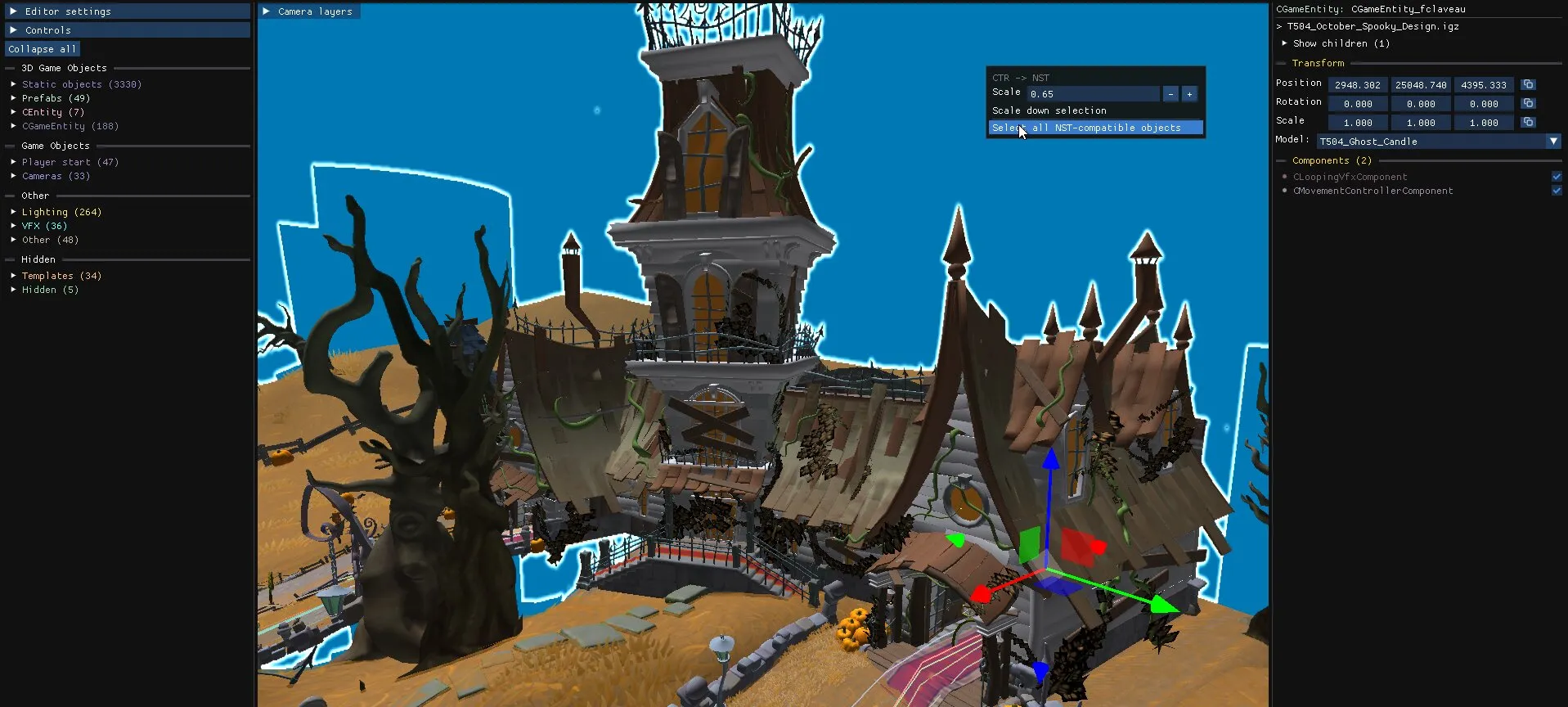
Since v1.31 the editor can open archives and levels from Crash Team Racing Nitro-Fueled (PS4), display their textures correctly, edit and save them, and copy their content into NST levels.
Limitations
Section titled “Limitations”- The tool has been tested on the debug build of CTR:NF, in which every level loads without error. Some levels from the retail version may not load correctly.
- Collisions in CTR:NF are heavily optimised: usually a single entity holds the collisions of the whole level, and most objects have no individual collision.
- CTR:NF levels are scaled by roughly 1.5 times compared to NST.
Right-click → Select all NST-compatible objectsselects everything that can be copied, which is the easiest way to move a whole level.
Convert a level from CTR:NF to NST
Section titled “Convert a level from CTR:NF to NST”-
Create a new empty level in NST, with the base level set to
none. See Create a new level. -
In that level, delete
Lighting → MainLightingandOther → worldVisualData, so the CTR:NF lighting and skybox can take their place. -
Open the CTR:NF level in another level editor.
-
Use
Right-click → Select all NST-compatible objects. -
Optionally, use
Right-click → Scale down selectionto compensate for the 1.5 times scale difference (note: this can break some visual effects) -
Copy the selection and paste it into the empty level.
-
Save the archive. Converting every texture from PS4 to PC can take a while.
CTR:NF assets in the Object Library
Section titled “CTR:NF assets in the Object Library”Scan a folder of CTR:NF archives with Settings → Add custom folder in the Object Library to make its objects searchable and importable.